 eronadmin
A few months ago, I launched a WordPress website that I believed was perfect. It had a clean design, smooth animations, and well-structured content. But something was wrong. The pages were loading slowly, rankings were stuck, and users were not engaging as expected.
After deep analysis, I realized the issue was not one big mistake but several small ones. In 2026, WordPress performance is more important than ever due to evolving SEO algorithms, user expectations, and Core Web Vitals.
In this guide, we will explore the 10 most common WordPress mistakes that silently kill performance and how to fix them effectively
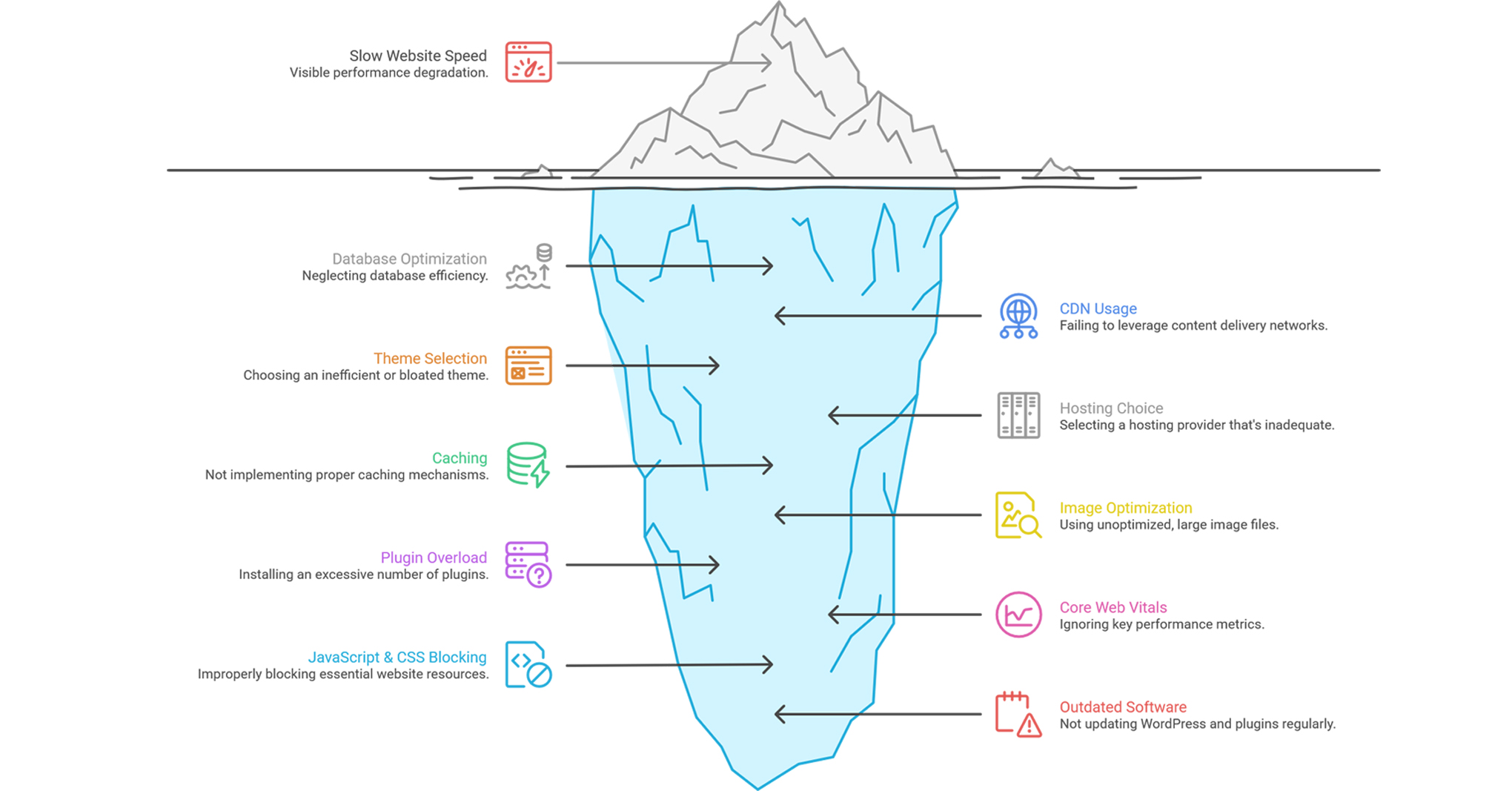
Quick Overview of Mistakes
- Ignoring Core Web Vitals
- Using Too Many Plugins
- Not Using Proper Caching
- Heavy Images Without Optimization
- Choosing the Wrong Hosting
- Poor Theme Selection
- No CDN Usage
- Ignoring Database Optimization
- Blocking JavaScript & CSS Improperly
- Not Updating WordPress & Plugins
1. Ignoring Core Web Vitals
Core Web Vitals have become a major ranking factor. Metrics like LCP, CLS, and INP directly impact user experience. If your site is slow or unstable, Google will rank it lower.
Solution: Optimize assets, reduce render-blocking scripts, and monitor performance regularly.
2. Using Too Many Plugins
Installing too many plugins increases load time, creates conflicts, and consumes server resources.Many websites suffer because they rely on plugins for everything.
Solution: Keep only essential plugins and replace multiple plugins with optimized alternatives.
3. Not Using Proper Caching
Without caching, your server processes every request from scratch. This increases load time and server load.
Solution: UUse page caching, browser caching, and server-level caching for better performance.
4. Heavy Images Without Optimization
Unoptimized images are one of the biggest performance killers. Large images slow down page load significantly.
Solution: Use WebP or AVIF formats, compress images, and implement lazy loading.
5. Choosing the Wrong Hosting
Low-quality hosting leads to slow response times and downtime. Even a well-optimized website will struggle.
Solution: Choose performance-focused hosting with SSD storage and modern server technologies.
6. Poor Theme Selection
Heavy themes come with unnecessary features and scripts that slow down your site.
Solution: Use lightweight themes and build only required features.
7. No CDN Usage
Without a CDN, users far from your server face slower loading speeds.
Solution: Use a CDN to distribute content globally and reduce latency.
8. Ignoring Database Optimization
Over time, your database collects unnecessary data like revisions and spam comments.
Solution: Clean and optimize your database regularly.
9. Blocking JavaScript & CSS Improperly
Incorrect optimization can break functionality and harm SEO.
Solution:Defer non-critical JS and inline critical CSS carefully.
10. Not Updating WordPress & Plugins
Outdated software leads to security issues and performance degradation.
Solution: Keep WordPress, themes, and plugins updated regularly.
Tools to Test Your Website Performance (2026)
1. Google PageSpeed Insights
Your first and most important test
- Measures Core Web Vitals
- Shows real user + lab data
- Highlights ranking issues
Best for: SEO + real-world performance
2. GTmetrix
Deep technical breakdown
- Waterfall analysis
- Time to First Byte (TTFB)
- Detailed performance grading
Best for: SEO + real-world performance
3. Pingdom Tools
Simple & beginner-friendly
- Easy performance score
- Page size & requests breakdown
- Load testing from different regions
Best for: Quick checks
4. WebPageTest
Advanced-level insights
- Filmstrip view (see loading step-by-step
- Multi-location testing
- Real browser testing
Best for: Deep performance analysis
5. Lighthouse
Built into Chrome (must-use)
- Performance
- SEO
- Accessibility
- Best practices
Best for: Full website audit

Cloudflare Analytics
Real-time performance monitoring
- CDN performance
- Traffic insights
- Security + speed combined
Best for: Live production monitoring
Pro Strategy (What Most People Don’t Do)
Most beginners:
Test in ONE tool → fix → done ❌
Smart developers (2026): Combine tools like this:
- Start with PageSpeed Insights (SEO impact)
- Use GTmetrix (technical issues)
- Validate with WebPageTest (real-world behavior)
- Monitor with Cloudflare Analytics (live users)
Important Truth
Even if your score is 90+, your site can still feel slow. Why?
- Bad hosting
- Heavy themes
- Poor UX
- Third-party scripts
Performance is not just a score — it’s user experience
Mentor Tip
If you want to level up:
- Don’t chase “100 score”
- Chase fast, smooth, real experience
Final Thoughts
Improving WordPress performance is not about one big change. It is about fixing multiple small issues consistently. When these mistakes are addressed, your website becomes faster, ranks better, and provides a better user experience.
Call to Action
If your website:
- Loads slowly
- Not ranking on Google
- Losing visitors
It’s time to fix it properly.
We help you:
- Optimize WordPress performance
- Improve Core Web Vitals
- Build lightning-fast websites
Visit:https://erontechnosolutions.com/
Let’s turn your website into a high-performance machine